Community

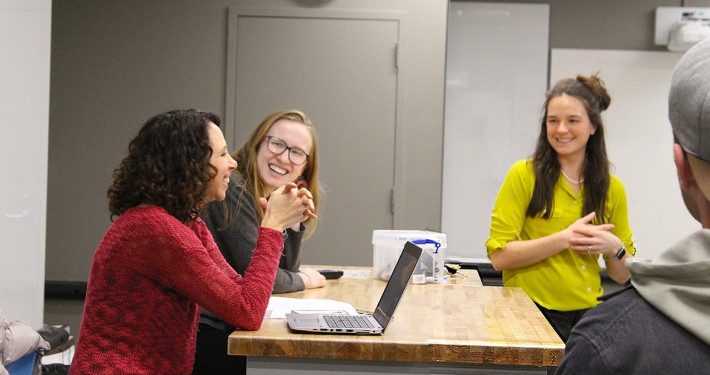
We are a community of entrepreneurs — students and mentors — interested in using innovation and entrepreneurship to make the world a better place.

Available Spaces

The Student Startup Center is designed to introduce you to entrepreneurs and early-stage investors, allow you to practice the work of entrepreneurs and early-stage investors and learn useful knowledge and skills for your journey as an entrepreneur.

Co-working Space

1122 Bainer Hall

Make friends and build your network.

Meet other students interested in building something new. Discuss your ideas and find mentors to keep you on the right path.

Makerspace

1124 Bainer Hall

Makerspace Available Equipment

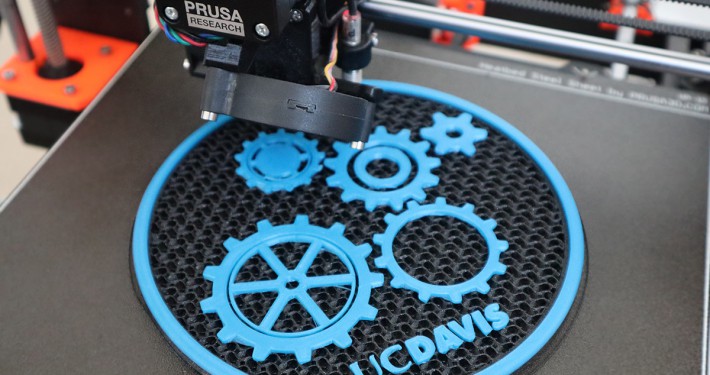
Learn to use a 3D printer and laser cutter to turn your visions into physical reality.

With the massive build volume of the CR-10, you can make extra-large and ultra-tall industrial concept models and prototypes.

  • Build Volume (X-Y-Z): 300mm x 300mm x 400mm (apx 12″ x 12″ x 16″)
  • Print Resolution: 0.1-0.3mm
  • Print Speed: 80mm/sec
  • Filament: 1.75mm PLA
  • Extruder: E3D V6 Hotend
  • Nozzle Diameter: 0.4mm
  • Bed Leveling: Manual, done using 4 screws
  • Print Bed: Heated Glass
  • Software: Cura
  • Connectivity: Micro-SD Card, USB
  • Overall Footprint*:  28″ x 26″ x 25″ (L x W x H)
  • Supported Materials: PLA, PETG, TPU
  • Electronics:
    • Filament runout sensor
    • Auto-resume after a power outage

These two are small, portable, and versatile 3D printers anyone perfect for small, quick prototypes.

  • Build Volume (X-Y-Z): 120mm x 120mm x 120mm (apx 5″ x 5″ x 5″)
  • Print Resolution: 0.1-0.3mm
  • Print Speed: 55mm/sec
  • Filament: 1.75mm PLA
  • Extruder: E3D V6 Hotend
  • Nozzle Diameter: 0.4mm
  • Bed Leveling: Manual, done using 4 screws
  • Print Bed: Heated build mat
  • Software: Cura
  • Connectivity: Micro-SD Card, USB
  • Overall Footprint*:  12″ x 8″ x 12″ (L x W x H)
  • Supported Materials: PLA, PETG, TPU
  • Electronics:
    • 3.7″ IPS color screen

The Glowforge is a well-designed laser cutter that can cut/engrave a wide range of materials. The hardware is minimalistic and well-designed, while the software is intuitive and incredibly user-friendly.

  • Cutting Volume: 18” x 20” x 2″ (455mm x 515mm x 50mm)
  • Precision: 1/1000 of an inch
  • Software: Glowforge web interface
  • Connectivity: Wifi
  • Overall Footprint*:  38″ x 21″ x 8″ (L x W x H)
  • Supported Materials:
    • Cut/Engrave: Wood, Acrylic, Leather, Paper
    • Engrave: Glass, Aluminum, Corian
  • Features:
    • Scan and print drawings
    • CO2 laser with autofocus

We’ve got Arduinos! Lots and lots of Arduinos… but also, breadboards, jumpers, servos, and other hardware you’d need to complete your Arduino project. Arduino is an open-source electronics platform based on easy-to-use hardware and software. You can tell your board what to do by sending a set of instructions to the microcontroller on the board. To do so you use the Arduino programming language, and Arduino IDE.

  • Processor: ATMega328P
  • Operating Voltage: 5 V
  • Input Voltage:  7-12V  (recommended), 6-20 V (limit)
  • Digital I/O Pins: 14 total, 6 PWN output
  • Analog Input Pins: 6
  • DC Current per I/O Pin: 20 mA
  • DC Current for 3.3 V Pin: 50 mA
  • Flash Memory: 32 KB
  • SRAM: 2 KB
  • EEPROM: 1 KB
  • Clock Speed: 16 MHz
  • Dimensions: 68.6 mm x 53.4 mm
  • Weight: 25 g

Need more computing power than what the ATMega328P microprocessor on the Arduino can offer? Don’t worry, we’ve got you covered with the Intel Joule 570x. The Joule is powered by an 1.7 GHZ Intel Atom processor and 4 GB of RAM. It comes with Bluetooth and wifi pre-installed, and includes ports for USB C, mini HDMI, and Micro SD, and of course, 40 pins for input/output.

  • Board Form Factor: 24 mm x 48 mm
  • Storage Space: 16 GB
  • DC Input Voltage Supported: 3.6-5.25V
  • Pre-installed OS: Linux Kernel 4.4 optimized for IOT
  • Memory Specifications
    • Size: 4 GB
    • Type: LPDDR4
    • Number of Channels: 4
    • Max Bandwidth: 25.6 GB/s
    • EEC Support: No
  • Graphics Specifications
    • Output: Intel® HD Graphics, HDMI 1.4B
    • Intel® Clear Video Technology: No
    • Number of Displays: 2
  • Expansion
    • PCI Support: Yes
    • PCI Express: Revision PCIe GEN2.0
    • Number of PCI Express Lanes: 1
    • PCIe x1 Gen 2.x: 1
  • I/O Specifications
    • Number of USB ports: 2
    • USB 2.0 Configuration (External + Internal): 2
    • USB 3.0 Configuration (External + Internal): 1 + 1
    • Integrated Wifi: 802.11ac 2x MIMO
    • Integrated Bluetooth: Yes

Visual Thinking Lab

1122 Bainer Hall

About the Visual Thinking Lab

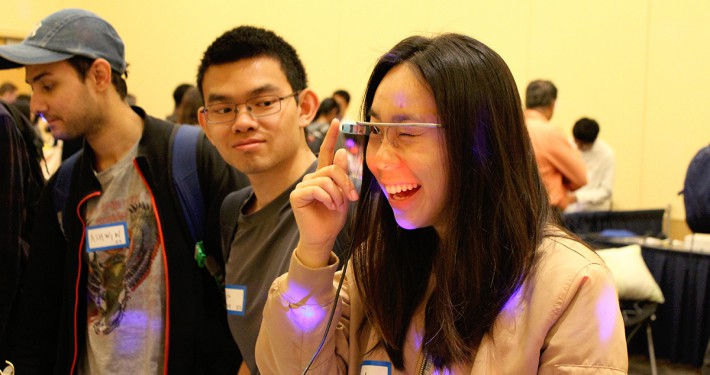
The visual thinking lab is the prime spot to interact with virtual and augmented reality on campus. Located at the Startup Center we have access to multiple HTC Vives, Oculus Rifts, and Google Cardboard. We organize workshops and one on one sessions to help students learn Virtual Reality technology, use it to better their learning experience or apply Virtual and Augmented Reality in their startups. Our primary goals are:

  • Expand the reach and knowledge regarding Virtual and Augmented reality.
  • Teach students how to program for Virtual Reality.
  • Integrate Virtual and Augmented Reality, with startups on competition that could be interested.
  • Create Virtual Reality programs to improve the learning process of the student through better visualization.

Available Equipment

Produce and experience augmented and virtual realities.

Pining to be the next Hideo Kojima? Want to make the animation in your new VR game more lifelike? The newest addition to the Maker Space’s equipment portfolio is the Perception Neuron motion capture “suit.” The suit has up to 32 sensors that can be worn by a model, but as little as 3 sensors can be worn if desired. Captured animation can be exported to Unity, Unreal Engine, Maya, Unigine, Oculus, and more.

  • Dynamic Range: 360°
  • Accelerator Range: ±16 g
  • Gyroscope Range: ±2000 dps
  • Resolution: 0.02°
  • Roll: < 1°
  • Pitch: < 1°
  • Yaw Angle: < 2°
  • Max Connected Sensors: 32
  • Output: USB 2.0, WiFi, Micro-SD Card Recording
  • Max Output Rate: 60 fps (32 Neurons), 120 fps (18 Neurons)

Oculus Rift is a virtual reality headset developed by Oculus VR. It uses a pair of “Constellation” tracking cameras, which use infrared light, in order to provide 360° positional head tracking in the play area.

  • Screens: (2) Pentile OLED Displays
  • Resolution: 1080×1200 pixel resolution/eye
  • Refresh Rate: 90 Hz
  • Field of View: 110°
  • I/O: USB 2.0, USB 3.0, HDMI 1.3

Smartphone VR Development

  • iOS
  • Android
    • There are several steps needed to develop an Andriod project using unity

Things needed: Unity, Andriod SDK, and phone (iPhone 5 or later or Android with Jelly Bean)

  • To get the android SDK you go to the Google VR Downloads page, click on the “Agree” button, and download the SDK (if you see any errors later, you can also download Android studio and this should fix them)
  • When opening Unity, you need to import the assets just downloaded by going to Assets > Import Packages > Custom Package
  • The final step to finishing the setup is to switch the build platform. You can go to File > Build Settings and switch to Android or iOS. If prompted to go to the downloads page, do so. Then go to Player settings in the build settings window and select the type of VR equipment you choose

Standalone Resources

Tethered VR Resources